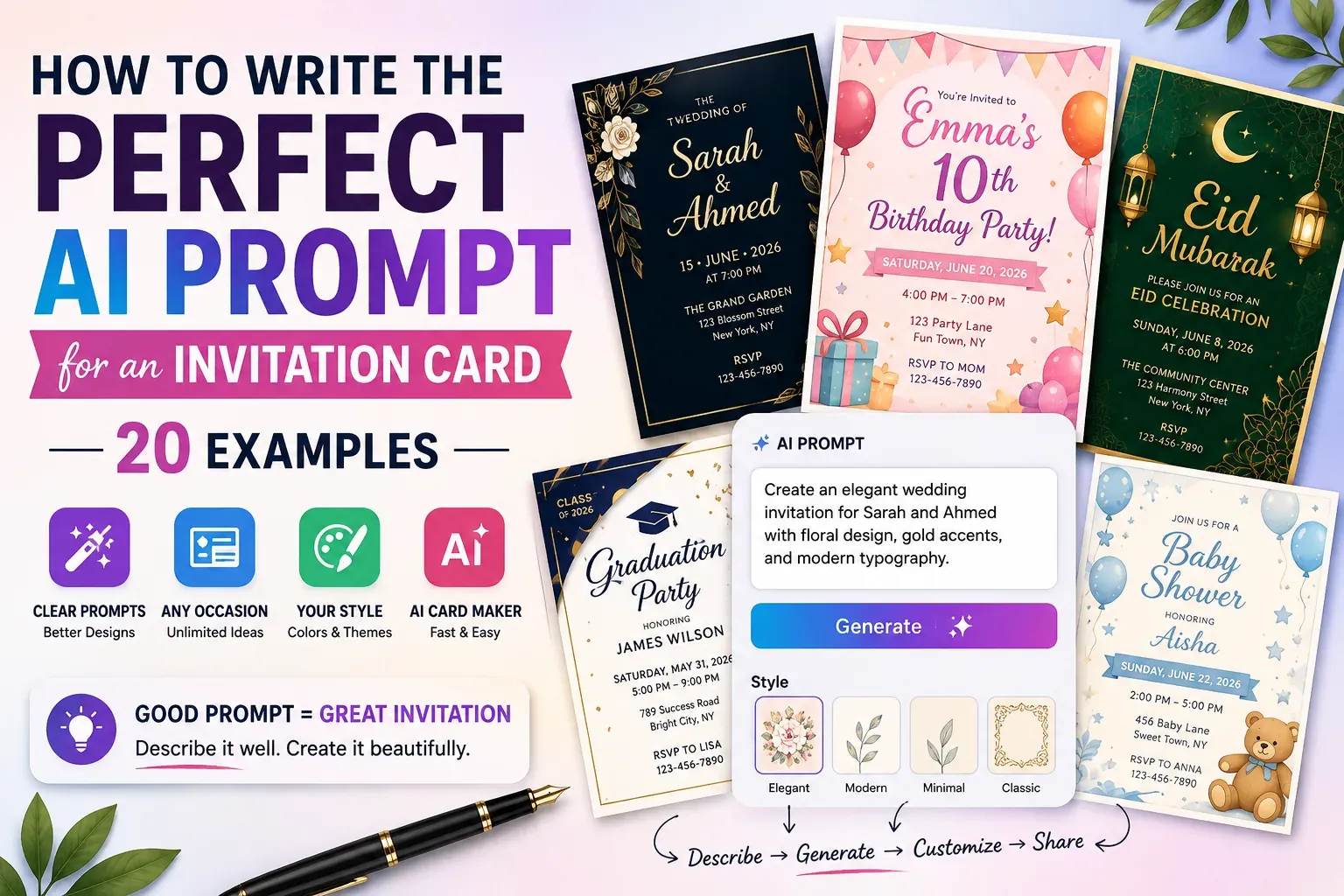
Creating an invitation card with AI can take only a few seconds, but getting a design that actually matches what you imagined depends heavily on what you tell the tool.
A short prompt such as "make a wedding invitation" gives an AI card maker very little direction. You may get a beautiful design, but it might use the wrong colors, mood, layout, wording, or visual style.
A more specific prompt gives the design a clear direction from the beginning.
The good news is that you don't need to understand graphic design or learn complicated prompt-writing techniques. You simply need to describe the event, the people involved, the information guests need, and the look you want.
This guide explains what makes a good AI invitation prompt and provides 20 practical examples you can adapt for weddings, birthdays, engagements, Eid celebrations, baby showers, graduations, anniversaries, and other occasions.
What Should You Include in an AI Invitation Card Prompt?
A good AI invitation prompt should explain what the event is, who it is for, what information should appear, and how the card should look.
The most useful details usually include:
- Type of event
- Names of the hosts or guests of honor
- Date and time
- Location or venue
- Color preferences
- Design style
- Mood or atmosphere
- Typography preference
- Decorative elements
- Cultural or seasonal details
- RSVP information
You don't have to include every detail in every prompt. The goal is to give the AI enough information to understand your idea without making the description unnecessarily complicated.
For example, instead of writing:
"Create a birthday invitation."
Try:
"Create a colorful birthday invitation for Emma's 10th birthday party on Saturday, June 20 at 4 PM. Use a playful pink, purple, and yellow theme with balloons, stars, and a cheerful modern layout. Include the venue and RSVP details clearly."
The second prompt gives the design much more direction.
How to Structure an AI Invitation Prompt
A simple formula can make prompt writing much easier:
Event + Details + Style + Colors + Visual Elements + Mood + Important Information
For example:
Wedding + Sarah & Ahmed + June 15 at 7 PM + elegant gold and ivory + floral decorations + romantic mood + venue and RSVP details.
This doesn't mean your prompt has to follow a strict format. Think of it as a checklist for the information you want the design to communicate.
1. AI Wedding Invitation Prompt
Weddings are one of the best occasions for personalized invitation designs because there are many possible visual styles.
Prompt:
Create an elegant wedding invitation for Sarah and Ahmed. Use a sophisticated ivory, champagne, and gold color palette with delicate floral details and subtle botanical patterns. Use elegant typography and a romantic, luxurious style. Include the wedding date, ceremony time, venue, and RSVP information. Keep the layout clean and easy to read.
For a traditional wedding, you could replace the modern styling with cultural patterns, traditional colors, or regional decorative elements.
2. Modern Minimalist Wedding Invitation
Minimalist invitations work well when you want the names and event information to remain the main focus.
Prompt:
Design a minimalist wedding invitation for Sarah and Ahmed using a white, beige, and soft green color palette. Use clean typography, generous spacing, subtle floral accents, and a modern editorial layout. Keep the design elegant, simple, and sophisticated. Clearly display the wedding date, venue, time, and RSVP details.
3. Birthday Party Invitation
Birthday cards can be much more playful.
Prompt:
Create a fun birthday party invitation for Daniel's 8th birthday. Use bright blue, orange, yellow, and green colors with balloons, confetti, stars, and playful shapes. Make the design energetic and child-friendly. Include the party date, time, location, and RSVP information.
4. Milestone Birthday Invitation
A 30th, 40th, 50th, or 60th birthday often needs a more sophisticated style.
Prompt:
Create a stylish 40th birthday invitation for Michael. Use a black, gold, and dark charcoal color palette with elegant typography and subtle geometric details. Give the card a sophisticated evening-party atmosphere. Include the date, time, venue, dress code, and RSVP information.
5. Engagement Invitation
Engagement celebrations usually benefit from romantic but less formal designs than weddings.
Prompt:
Design a romantic engagement party invitation for Ayesha and Bilal. Use blush pink, cream, and gold with delicate flowers and soft decorative details. Create a warm and elegant design that celebrates the couple without looking overly formal. Include the celebration date, venue, time, and RSVP details.
6. Baby Shower Invitation
Soft colors and gentle illustrations are a natural fit for baby showers.
Prompt:
Create a charming baby shower invitation using pastel blue, cream, and white. Include delicate clouds, stars, and small baby-themed illustrations. Use soft rounded typography and a warm, welcoming style. Leave clear space for the date, time, venue, and RSVP information.
You can easily adapt the same concept for a pink, lavender, green, or gender-neutral theme.
7. Bridal Shower Invitation
Prompt:
Design a sophisticated bridal shower invitation for Emily using soft pink, ivory, and champagne colors. Include elegant floral illustrations, delicate borders, and stylish typography. Create a feminine but modern look with clear sections for the date, time, venue, and RSVP information.
8. Graduation Invitation
Graduation cards can combine school colors with celebratory graphics.
Prompt:
Create a modern graduation party invitation for James, Class of 2026. Use navy blue, white, and gold with a graduation cap, diploma, and subtle confetti elements. Make the design celebratory and polished. Include the graduation party date, time, location, and RSVP information.
9. Eid ul Fitr Invitation
For cultural and religious occasions, descriptive details can make the design feel much more relevant.
Prompt:
Create an elegant Eid ul Fitr celebration invitation using emerald green, gold, and cream. Include a crescent moon, lanterns, subtle Islamic geometric patterns, and a warm festive atmosphere. Use sophisticated Arabic-inspired decorative elements while keeping the main invitation text highly readable. Include the celebration date, time, venue, and RSVP details.
10. Eid ul Adha Invitation
Prompt:
Design a warm and elegant Eid ul Adha invitation using deep green, gold, and cream. Include tasteful Islamic geometric patterns, a crescent moon, lanterns, and subtle festive decorations. Keep the design respectful, welcoming, and sophisticated, with clear space for event details.
11. Anniversary Invitation
Prompt:
Create an elegant 25th wedding anniversary invitation for John and Maria. Use burgundy, ivory, and gold with subtle floral decorations and sophisticated typography. Create a romantic and timeless atmosphere. Include the anniversary date, dinner venue, time, and RSVP information.
12. BBQ Party Invitation
Not every invitation needs to be formal.
Prompt:
Create a fun summer BBQ party invitation with a red, orange, yellow, and green color palette. Include tasteful illustrations of a grill, burgers, drinks, and outdoor elements. Use bold, friendly typography and a relaxed backyard-party atmosphere. Include the date, start time, location, and RSVP information.
13. Graduation Dinner Invitation
Prompt:
Design a sophisticated graduation dinner invitation for a university graduate. Use dark blue, silver, and white with minimalist academic elements and elegant typography. Create a formal evening atmosphere and clearly display the graduate's name, dinner date, venue, time, dress code, and RSVP details.
14. Children's Birthday Invitation
Prompt:
Create a colorful children's birthday invitation with a playful jungle theme. Use green, yellow, orange, and blue colors with friendly illustrations of animals, leaves, balloons, and confetti. Make the design cheerful and age-appropriate. Include the child's name, age, party date, time, location, and RSVP details.
15. Corporate Event Invitation
AI invitation designs aren't limited to personal celebrations.
Prompt:
Create a professional corporate networking event invitation using navy blue, white, and silver. Use a clean modern layout, refined typography, and subtle geometric elements. Keep the design sophisticated and suitable for business professionals. Include the event title, date, time, venue, agenda highlights, and registration information.
16. Seasonal Party Invitation
Prompt:
Create a cozy winter party invitation using navy blue, white, silver, and soft gold. Include subtle snowflakes, stars, warm lights, and elegant winter decorations. Give the card a sophisticated but welcoming atmosphere. Include the party date, time, venue, and RSVP details.
17. Surprise Party Invitation
Prompt:
Design a fun surprise birthday party invitation for Olivia's 30th birthday. Use vibrant purple, pink, and gold with confetti, balloons, and a playful celebration theme. Make "It's a Surprise!" highly visible while keeping the event date, time, location, and RSVP information easy to find.
18. Formal Dinner Invitation
Prompt:
Create a formal dinner invitation using a black, ivory, and gold color palette. Use refined serif typography, subtle borders, and elegant decorative details. The design should feel luxurious but not crowded. Include the host's name, dinner date, time, venue, dress code, and RSVP information.
19. Cultural Celebration Invitation
Prompt:
Create a vibrant cultural celebration invitation inspired by traditional South Asian patterns and decorative elements. Use rich red, gold, and deep green colors with elegant traditional motifs. Combine cultural details with a clean modern layout so the event information remains easy to read.
The important thing here is to be specific about the cultural style you want rather than simply telling the AI to make the card "traditional."
20. Custom Invitation From Your Own Idea
Sometimes you don't need a predefined occasion.
You can simply describe what you have in mind.
Prompt:
Create a warm and elegant invitation for a family celebration. Use a cream, sage green, and gold color palette with subtle botanical decorations. The design should feel personal, welcoming, and sophisticated rather than formal. Use clean typography and leave clear space for the event title, names, date, time, venue, and RSVP information.
This type of prompt gives you a starting point that you can customize further.
How to Get Better Results From an AI Card Maker
Be Specific About the Visual Style
Words such as "beautiful" and "nice" are subjective.
Instead, describe what you actually want.
For example:
- Minimalist
- Luxury
- Vintage
- Rustic
- Modern
- Playful
- Elegant
- Traditional
- Floral
- Geometric
- Festive
Specific style descriptions give the design a much clearer direction.
Choose a Limited Color Palette
Instead of saying "make it colorful," identify two to four colors.
For example:
"Use navy blue, cream, and gold."
This creates a more controlled visual identity than leaving the entire color selection open.
Tell It What Should Stand Out
Not every piece of information needs the same visual emphasis.
You might want the couple's names to be the largest element on a wedding invitation, while the RSVP information should be smaller but still easy to locate.
Mention this in your prompt.
For example:
"Make the couple's names the main focal point and keep the event details clearly visible underneath."
Keep the Text Information Organized
An invitation has a practical purpose: guests need to understand the event.
No matter how attractive the design is, the date, time, venue, and RSVP details should remain easy to read.
When using an AI card maker, always review the final design carefully and correct any text, spelling, names, dates, or numbers before sharing it.
Can You Customize an AI-Generated Invitation?
Yes. AI generation doesn't have to be the final step.
For example, Invite AI lets users generate a design and then customize details such as photos, text, fonts, and colors. It also supports sharing invitations online and RSVP tracking, making the process extend beyond simply creating an image.
That means you can start with a broad idea, generate a design, and then refine it until it matches the event.
The best workflow is often:
Describe → Generate → Review → Customize → Share
This is much easier than trying to describe every tiny design detail perfectly in your first prompt.
Common AI Invitation Prompt Mistakes
Being Too Vague
"Make a nice birthday card" doesn't tell the design tool enough.
Add the age, theme, colors, mood, and important event details.
Adding Too Many Conflicting Styles
A prompt asking for "minimalist, luxurious, colorful, vintage, playful, and futuristic" may produce an inconsistent result.
Choose one primary direction and a few supporting details.
Forgetting the Practical Information
A beautiful invitation is useless if guests can't quickly find the date or venue.
Always include the information your guests actually need.
Not Reviewing the Final Card
Never assume the first generated design is ready to send.
Check every name, date, time, location, phone number, RSVP detail, and piece of visible text before sharing.
Why AI Invitation Prompts Are Worth Learning
The real advantage of learning how to write better prompts isn't just getting prettier cards.
It's getting more predictable results.
Instead of generating random designs until one happens to look right, you can communicate your idea clearly from the beginning.
That saves time and makes it easier to create invitations that feel personal rather than generic.
Whether you're preparing a wedding invitation, birthday card, Eid celebration, graduation announcement, or private dinner invitation, a few extra descriptive details can dramatically improve the starting design.
Final Thoughts
You don't need to be a graphic designer to create a memorable invitation.
You simply need to know what you want the card to communicate.
Start with the occasion, add the essential event details, describe the visual style, choose a small color palette, and mention the elements that matter most to you. Then let the AI handle the difficult design work.
Tools such as Invite AI make this process even simpler by combining AI-generated designs with customization and online sharing features.
The best prompt isn't necessarily the longest one. It's the one that gives the design enough direction to understand your event and your personal style.
Once you get comfortable describing those details, creating a polished invitation can go from a frustrating design task to something you can finish in minutes.
Frequently Asked Questions
What should I include in an AI invitation card prompt?
Include the event type, names, date, time, venue, preferred colors, visual style, mood, decorative elements, and RSVP information. Add any cultural or seasonal details that are important to the event.
How detailed should an AI invitation prompt be?
A few specific sentences are usually better than a vague one-line request. Focus on the event, important information, design style, colors, and visual elements you want.
Can AI create wedding invitations?
Yes. AI card makers can generate wedding invitation designs based on details such as the couple's names, wedding style, colors, decorative elements, and event information.
Can I customize an AI-generated invitation?
Yes. Many AI invitation makers allow you to modify the generated design. Invite AI, for example, supports customization of photos, text, fonts, and colors after generating a design.
Can AI create invitations for cultural and religious events?
Yes. You can describe relevant cultural colors, patterns, symbols, decorative elements, and the overall atmosphere you want. The more specific your description, the easier it is to create a design that fits the occasion.