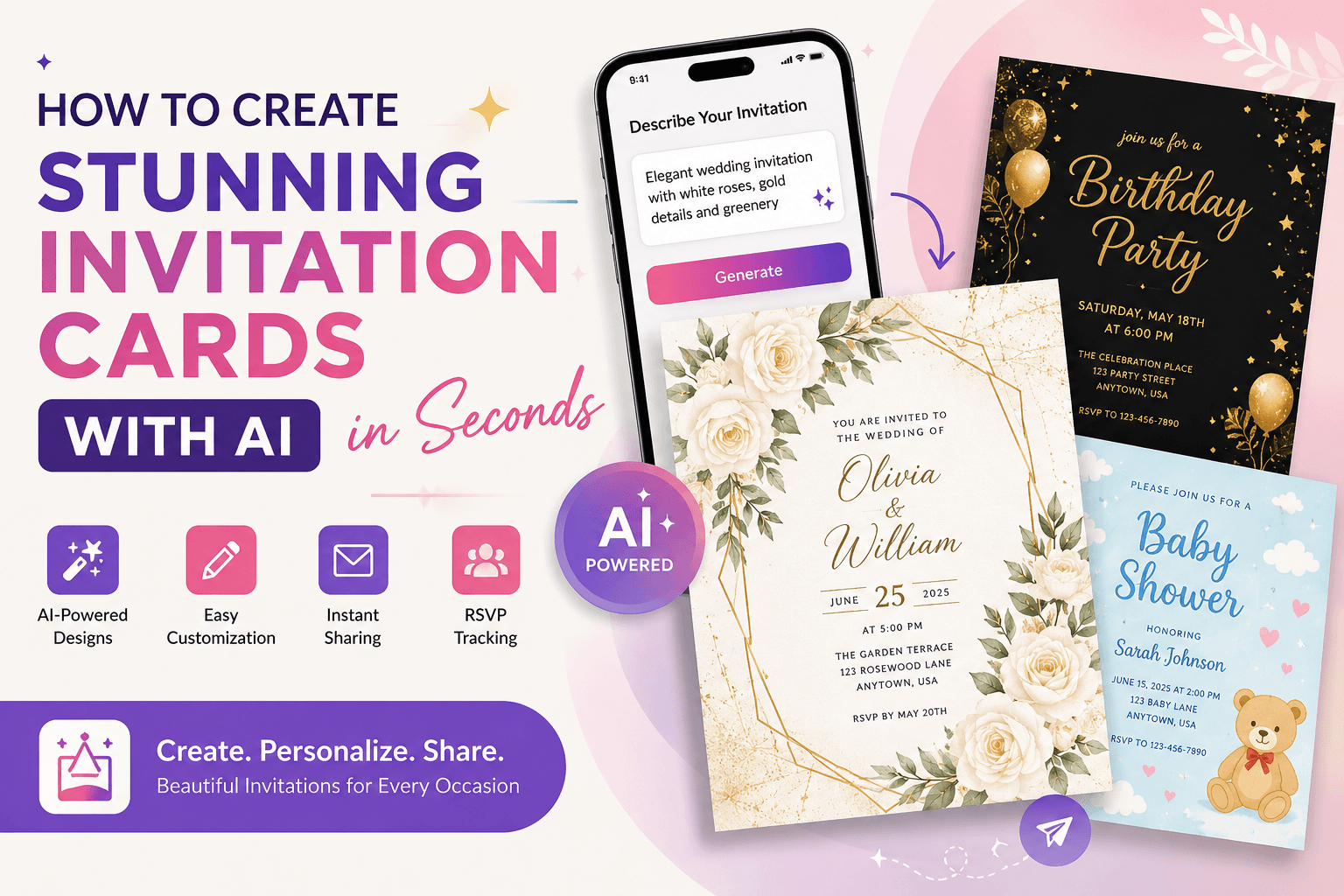
Planning a special event should feel exciting. But creating the perfect invitation? That can quickly become another task on an already long to-do list.
You need the right design, colors, wording, layout, event details, and overall mood. Hiring a designer can take time and cost money. Starting from a blank canvas can feel overwhelming, especially if design is not your thing.
This is where an AI invitation card maker can help.
With AI, you can turn a simple idea into a personalized invitation in seconds. You describe the occasion, style, colors, and mood you want, and AI helps bring the idea to life. No advanced design software. No hours spent searching through templates. No professional design experience required.
Whether you are planning a wedding, birthday party, baby shower, anniversary, graduation, holiday gathering, or business event, this guide will show you how to create invitation cards with AI and get better results from every prompt.
What Is an AI Invitation Card Maker?
An AI invitation card maker is a tool that uses artificial intelligence to help create personalized invitation designs based on your instructions.
Instead of manually building every part of a card, you can describe what you want in everyday language. For example:
“Create an elegant wedding invitation with white roses, soft gold details, and a romantic luxury style.”
The AI uses your description to create a design that matches your idea. Depending on the tool, you can then personalize the invitation by adding names, dates, event details, photos, colors, and other elements.
In simple terms, an AI invitation generator turns your idea into a visual starting point much faster than traditional design methods.
Why Use AI to Create Invitation Cards?
The biggest advantage of AI is not simply speed. It gives people an easier way to turn an idea into something visual.
You may know exactly how you want your invitation to feel but struggle to explain that idea to a designer or recreate it yourself. AI makes that process more direct.
Here are some of the main reasons people use AI for invitations:
- Save time: Generate creative ideas in seconds instead of designing from scratch.
- No design skills needed: You can create attractive cards without learning complex software.
- More personalization: Describe the exact theme, mood, colors, and visual style you want.
- Explore different ideas: Try elegant, playful, modern, floral, minimalist, vintage, or luxury concepts.
- Create for many occasions: Use the same tool for weddings, birthdays, holidays, celebrations, and more.
- Easy digital sharing: Create invitations designed for modern sharing with friends, family, or guests.
AI does not replace your personal touch. It helps you express it more easily.
How to Create an Invitation Card with AI
The process is simple: choose your occasion, describe your idea, generate a design, personalize the details, review everything, and share the finished invitation.
Here is how to do it step by step.
Step 1: Start with the Occasion
First, decide exactly what kind of invitation you need.
Is it for a:
- Wedding
- Birthday party
- Baby shower
- Engagement
- Anniversary
- Graduation
- Dinner party
- Holiday celebration
- Business event
- Housewarming
- Bridal shower
- Family gathering
The occasion gives the AI important context. A five-year-old’s birthday invitation should feel very different from a formal wedding invitation or a corporate event announcement.
Be specific from the beginning.
Instead of writing:
“Create an invitation.”
Try:
“Create a cheerful first birthday invitation for a baby girl.”
That small amount of extra detail gives AI a much clearer creative direction.
Step 2: Describe the Style You Want
Next, think about how the invitation should feel.
Do you want something elegant and sophisticated? Bright and playful? Soft and romantic? Clean and modern?
Useful style words include:
- Elegant
- Minimalist
- Luxury
- Romantic
- Floral
- Modern
- Vintage
- Rustic
- Playful
- Colorful
- Traditional
- Whimsical
You can also mention specific colors, visual elements, and the type of atmosphere you want.
For example:
“Create a modern baby shower invitation in soft beige and sage green, with delicate watercolor leaves and a warm minimalist style.”
This works better than a vague request because it tells the AI four important things: the occasion, color palette, visual elements, and overall mood.
Step 3: Write a Clear AI Invitation Prompt
Your prompt is the instruction you give to the AI. A better prompt usually leads to a more relevant result.
A strong invitation prompt should include:
Occasion + recipient or audience + visual style + colors + important design elements + mood
Here is a simple formula:
“Create a [style] invitation for [occasion] using [colors], featuring [visual elements], with a [mood] atmosphere.”
For example:
“Create an elegant 30th birthday invitation using black, gold, and deep emerald green, with subtle sparkling details and a sophisticated evening-party atmosphere.”
Or:
“Create a fun dinosaur-themed birthday invitation for a six-year-old boy, with friendly cartoon dinosaurs, jungle leaves, bright green colors, and a cheerful adventurous mood.”
The goal is not to write the longest prompt possible. The goal is to give useful details.
Step 4: Generate Your Invitation Design
Once your prompt is ready, let the AI create the first version of your invitation.
Do not worry if the first result is not exactly what you imagined. Think of it as the beginning of the creative process.
You can adjust your description and try again.
For example, if the design feels too busy, add:
“Use a cleaner layout with more empty space.”
If it feels too casual, try:
“Make the design more refined, formal, and luxurious.”
If the colors are not right, be more specific:
“Use ivory as the main background color with subtle champagne-gold details.”
AI makes it easy to explore different creative directions without rebuilding everything from the beginning.
Step 5: Personalize the Important Details
A beautiful invitation still needs accurate information.
Before sharing your card, make sure it clearly includes the details your guests need:
- Name of the event
- Host or celebrant’s name
- Date
- Start time
- Venue name
- Location or address
- RSVP information, if needed
- Dress code, if relevant
- Special instructions
For a wedding, you may also want to include ceremony and reception details. For a birthday party, you might add an age, theme, or gift note. For a business event, the invitation may need a company name, event purpose, or registration details.
The design attracts attention, but clear information makes the invitation useful.
Step 6: Review Before You Share
AI can speed up the creative process, but the final review should always be yours.
Check every detail carefully.
Ask yourself:
Is the spelling correct?
Are the date and time accurate?
Is the venue information complete?
Can the important text be read easily?
Does the design match the event?
Is the invitation suitable for the people receiving it?
This final check is especially important for names, addresses, dates, and RSVP details. A visually impressive invitation is only successful when the information is correct and easy to understand.
What Types of Invitations Can You Create with AI?
One of the best things about an AI invitation generator is its flexibility. You can create cards for almost any occasion.
Wedding Invitations
Create romantic, floral, modern, traditional, luxury, minimalist, or destination wedding designs. You can match the invitation to the colors and atmosphere of the wedding itself.
Birthday Invitations
From colorful children’s parties to elegant milestone celebrations, AI can help create a design that fits the person and the event.
Baby Shower Invitations
Try soft pastels, watercolor animals, botanical themes, clouds, stars, teddy bears, or modern neutral designs.
Graduation Invitations
Create something bold and celebratory with school colors, graduation caps, diplomas, confetti, or a clean professional look.
Holiday and Seasonal Invitations
Design invitations for Christmas gatherings, New Year celebrations, Eid events, Thanksgiving dinners, Halloween parties, and other seasonal occasions.
Business and Professional Events
AI can also help with invitations for product launches, networking events, conferences, workshops, openings, and company celebrations.
The key is to describe the audience and purpose clearly so the design feels appropriate.
7 AI Invitation Prompt Examples You Can Try
Not sure what to write? Use these examples as inspiration and personalize them for your event.
1. Elegant Wedding Invitation
“Create an elegant wedding invitation with ivory flowers, soft gold accents, delicate typography, and a timeless romantic atmosphere.”
2. Kids’ Birthday Invitation
“Create a colorful space-themed birthday invitation for an eight-year-old, featuring friendly planets, rockets, stars, and a fun cosmic adventure style.”
3. Luxury Birthday Invitation
“Create a sophisticated 40th birthday invitation in black and gold, with subtle lighting effects, elegant details, and an exclusive evening-event atmosphere.”
4. Baby Shower Invitation
“Create a sweet gender-neutral baby shower invitation with beige, cream, and sage green colors, soft watercolor clouds, and a warm modern style.”
5. Graduation Party Invitation
“Create a modern graduation party invitation using navy blue, gold, and white, with a graduation cap, subtle confetti, and a proud celebratory mood.”
6. Holiday Dinner Invitation
“Create a warm Christmas dinner invitation with deep green, burgundy, and gold colors, elegant winter greenery, candlelight, and a cozy festive atmosphere.”
7. Business Event Invitation
“Create a clean and professional invitation for a technology networking event, using dark blue and white with subtle futuristic elements and a premium modern layout.”
You can make any of these prompts more personal by adding names, favorite colors, cultural elements, hobbies, locations, or specific themes.
How to Get Better Results from an AI Invitation Generator
The difference between an average AI result and a great one often comes down to the prompt.
Here are a few simple ways to improve your results:
Be specific, but stay focused. Include the details that affect the design without filling the prompt with unnecessary instructions.
Describe the mood. Words like romantic, joyful, elegant, playful, peaceful, or energetic help define the emotional direction.
Mention a color palette. Two to four main colors usually give the AI a clearer visual direction.
Include the audience. An invitation for children, wedding guests, close friends, or business professionals should not look the same.
Refine one thing at a time. If you want changes, adjust the colors, layout, style, or visual elements separately. This makes it easier to understand what improves the result.
AI Invitations vs. Traditional Templates: What Is the Difference?
Traditional templates give you a ready-made design that you customize. They can be useful when you already see something close to what you want.
AI invitation creation starts differently. You begin with your own idea.
Instead of searching through large collections of templates, you describe the event and visual direction. The AI then helps turn that description into a design concept.
Templates are useful for speed and predictability. AI is especially useful when you want more creative flexibility and personalization.
For many people, the ideal experience is simple: use AI to generate the creative direction, then personalize the final details before sharing.
Frequently Asked Questions
What is the best way to create an invitation card with AI?
Start by clearly describing the occasion, style, colors, mood, and important visual elements. Generate the first design, refine the parts you want to change, add accurate event information, and review everything before sharing.
Do I need design skills to use an AI invitation card maker?
No. AI invitation tools are designed to make the creative process easier for people without professional design experience. Clear instructions and a good idea are usually more important than technical design skills.
Can AI create invitations for any occasion?
Yes. AI can help create invitations for weddings, birthdays, baby showers, graduations, anniversaries, holidays, business events, and many other occasions.
What should I include in an AI invitation prompt?
Include the occasion, desired style, main colors, visual elements, and overall mood. You can also mention the audience or recipient when it helps define the design.
Can I create personalized invitation cards with AI?
Yes. Personalization is one of the main advantages of AI invitation creation. You can describe specific themes, colors, interests, moods, and event styles to create a design that feels more personal.
Are AI-generated invitations suitable for digital sharing?
Yes. Digital invitations are convenient for sharing with guests online. Always check the final layout and make sure important information is easy to read before sending.
Create an Invitation That Feels Like Your Event
An invitation is more than a list of event details. It is often the first glimpse your guests get of the celebration ahead.
A playful invitation builds excitement for a birthday party. An elegant wedding card sets the mood for the day. A warm holiday invitation makes a gathering feel special before anyone arrives.
AI makes it easier to turn those feelings into a visual design.
You do not need to start with a blank canvas or know every rule of graphic design. Start with your idea. Describe the occasion, choose the mood, add the details that matter, and let AI help you explore the possibilities.
Ready to create your own?
Use AI Invitation & Greeting Cards to turn your idea into a personalized card and start creating invitations for the moments worth celebrating.